

The reply depends on who happened to be free
The message arrives now, while the person who knows the answer is away or busy.
It takes customer inquiries on the channels you connect, answers from an approved knowledge base, collects what's needed, opens a booking or follow-up, then hands anything requiring human judgment to your team with the full context.
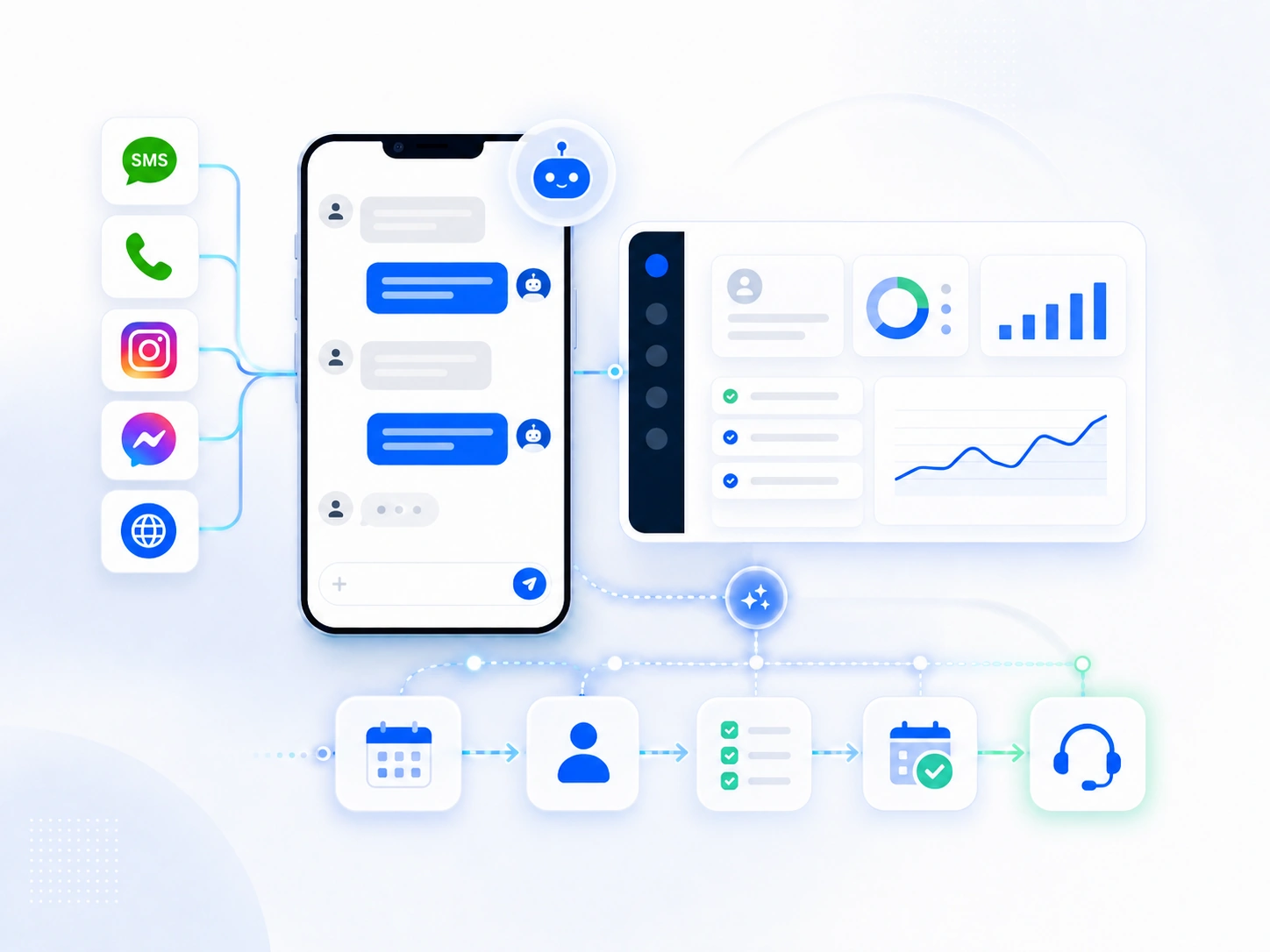
Illustrative example with sample data — results vary by business, setup, and conversation volume.
ServiceNot a ready-made chatbot: how we set up the AI Employee for your businessSee how we prepare its knowledge, permissions, and testing before go-live →When knowledge and follow-up are split across staff and channels, messages get lost, questions get repeated, or the booking is delayed.
The message arrives now, while the person who knows the answer is away or busy.
They're asked to repeat their name, their request, and what they were told every time they move between a channel and a person.
The answer happens in one place, the appointment in another, and follow-up depends on memory.
What it does is set by the information, permissions, and channels you approve before it goes live.
It draws on the information, policies, and services you supplied and approved.
It doesn't invent information that isn't in its sources.It asks about service type, location, timing, budget, or whatever the scenario requires.
The questions are defined in advance for your business.It offers available times or moves the customer into booking when the request fits.
Requires a connected calendar plus configured services and permissions.It saves the customer's details, their source, what they asked for, and the stage they reached.
According to the fields and workflow that were configured.It fires a message, a task, or a reminder based on the conversation's outcome instead of relying on memory.
Timing, content, and stop rules are approved before go-live.When a case exceeds its permissions it passes to the team with the context, instead of the conversation starting over.
Handover rules are tested before activation.The path below is a general example. The details vary by your business, the channels you connect, and the permissions you grant.
from SMS, phone calls, Instagram, Messenger, or website chat once the channel is connected.
It reads the question and refers to the approved knowledge base and instructions.
It asks the qualifying questions and saves the answers to the customer record.
A booking, a follow-up, a task for the team, or a clear answer within its permissions.
It passes the conversation on with a summary and clear context when human judgment is required.
The knowledge, behavior, and permissions are built and tested before it ever deals with a customer.
We turn your business information into clear sources and instructions, then test the questions and the sensitive cases.
It answers from the sources you approved, asks for clarification when information is missing, and takes no action beyond its permissions.
Services, prices, policies, locations, and recurring questions — from the sources you approve.
Reply style, qualifying questions, what it may carry out, and when it stops and hands over.
Questions, objections, and sensitive cases — so we correct the knowledge and instructions before customers do.
After your approval it starts replying on the channels that have been connected and tested.
Handover comes with a summary of what happened, what the customer asked for, and the suggested next step.
We agree on metrics that serve the actual goal — not generic numbers that fit any business.
There are no guaranteed results — your offer, price, fit, and the customer's readiness are independent factors.
These answers are general — the scope of each channel and action is settled during setup and testing.
It starts after the knowledge, instructions, and permissions are prepared, the channels connected, the scenarios tested — and you approve go-live.
It isn't supposed to guess. It asks for clarification or says the information isn't available, then hands the conversation to the team per the handover rules.
Yes. The team can take the conversation over and continue it, keeping everything that happened before the handover.
No. It can run across supported channels that are connected and tested, such as SMS, phone calls, Instagram, Messenger, and website chat.
It can, once the calendar, services, and workflows are configured and connected, and the right permissions and stop rules are set.
We review your channels, your recurring questions, your booking and follow-up — then decide what can be automated and what should stay with your team.
Book a diagnostic session